
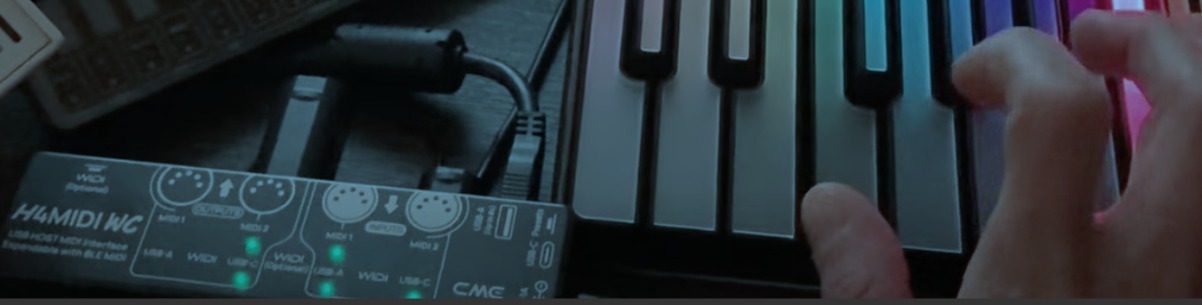
The Complete Guide to Modern MIDI Connectivity
Whether you're connecting a keyboard, controller, synthesizer, drum machine, guitar processor, or MIDI pedalboard, you've probably experienced this before: "Why won't these two USB MIDI devices communicate with each other?"
It seems like a simple question. After all, they both have USB ports. The answer lies in one of the most misunderstood concepts in modern MIDI: USB Host
Once you understand how a USB Host works, you'll immediately see why some MIDI setups work flawlessly while others require a computer or don't work at all.
Let's dive in.
Every USB Connection Needs a Host
When connecting USB devices, there are always two roles:
 USB Host
The device that manages communication.
 USB Device
The device that responds to commands from the host.
Imagine you're invited to a dinner party. Everyone is sitting at the table, waiting...
But nobody knows who is hosting. No one greets the guests. No one decides where everyone sits. No one starts the conversation. No one makes the connection. It would be a pretty awkward dinner.
USB works exactly the same way. Every USB connection needs someone to be "the host." The USB Host welcomes every connected device, tells them where they belong, and manages the conversation between them. The USB (Client) Devices simply wait for instructions.
A computer is a USB Host. Most MIDI keyboards, synthesizers, controllers, and drum machines are USB (Client) Devices.
Now imagine connecting two guests together....without inviting a host.
That's exactly what happens when you connect two USB MIDI devices with nothing but a USB cable. Both devices are politely waiting for someone else to start the conversation.
Unfortunately... nobody does.
USB (Client) Device ↔ USB (Client) Device =  No Host
The opposite doesn't solve the problem either. Imagine two people both throwing the same dinner party. Both want to be the host. Both expect to organize the guests and control what happens.
Now you have two hosts competing for the same role.
That's similar to trying to directly connect two USB Host ports:
USB Host ↔ USB Host = Two Hosts
What USB needs is the right relationship:
USB Host ↔ USB (Client) Device = 
One host manages the connection. One or more devices communicate through it. So the simple rule to remember is:
- No host? Nobody takes charge.
- Two hosts? Both want to take charge.
- One host + device? Now the party can start.
Why Doesn't My Keyboard Connect Directly to my Synth?
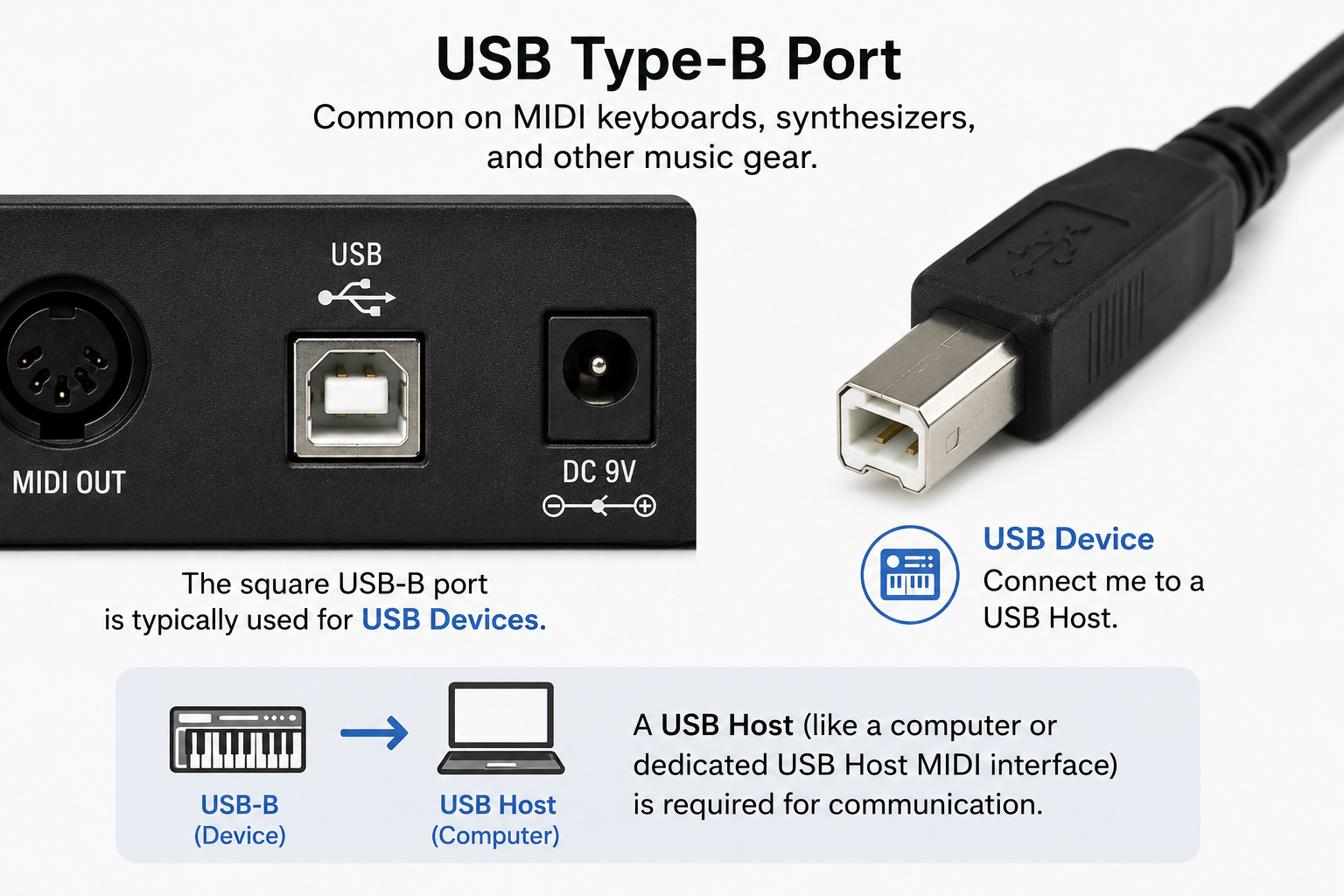
At first glance, it seems obvious. Your MIDI keyboard has a square USB Type-B port. Your synthesizer has the same square USB Type-B port. So why can't you simply connect them with a USB cable and start playing?
The answer lies in the role each device plays. Both instruments are USB (Client) Devices, not USB Hosts.
In fact, you can often recognize this just by looking at the connector. Most keyboards, synthesizers, drum machines, MIDI controllers, and audio interfaces feature a USB Type-B connector. This type of connector is commonly used for devices that expect a USB Host to manage the connection.
Think of the USB Type-B port as saying: "I'm ready to communicate, but I need a USB Host to start the conversation."
That's why connecting two USB Type-B ports together doesn't work. Neither device knows how to start the connection, detect the other device, or manage the flow of MIDI data.
They're both waiting for a USB Host to take charge.
Only when a USB Host - such as a computer or a dedicated USB Host MIDI interface - is introduced can the devices discover each other and begin exchanging MIDI messages.
USB Type-A: The Host
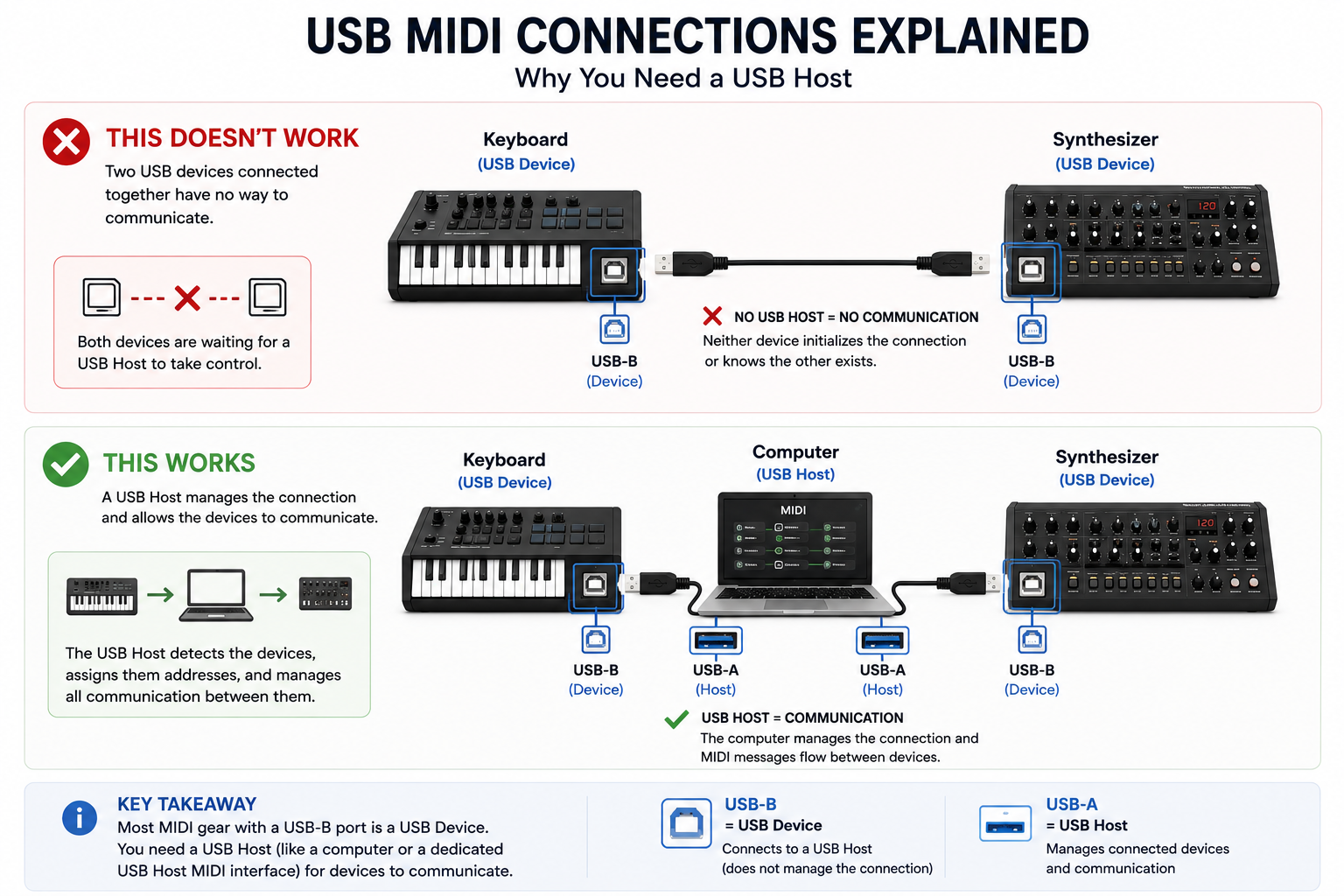
Traditionally, USB Type-A ports are found on computers and dedicated USB Host devices.
Unlike a USB Device, a USB Host takes control of the connection. It detects newly connected devices, assigns them an address, supplies power when needed, and manages all communication between them.
Think of a USB Type-A port as saying: "I'm the host. Plug your USB devices into me."
Now compare these two setups.
This doesn't work
Keyboard (USB Device) ───────── Synth (USB Device)
Although both instruments have USB ports, they're both USB Devices.
Each is waiting for a USB Host to initialize the connection and manage the communication. Since neither device can take on that role, nothing happens.
It's a bit like connecting two microphones together with a cable.
Both microphones are excellent at sending audio, but neither one knows how to receive, process, or route that signal. To make them work, you need something in the middle, like a mixer or audio interface.
USB works in much the same way.
Two USB (Client) Devices can't simply communicate with each other. They both need a USB Host to take control of the connection.
Add a USB Host
Keyboard (USB Device)
│
Computer (USB Host)
│
Synth (USB Device)
Everything suddenly comes to life.
The computer detects both devices, assigns them unique USB addresses, and manages the communication between them. Once the connection has been established, MIDI messages can flow freely from one device to the other.
Without a USB Host, the two devices simply don't know the other one exists.
USB-C Doesn't Automatically Mean USB Host
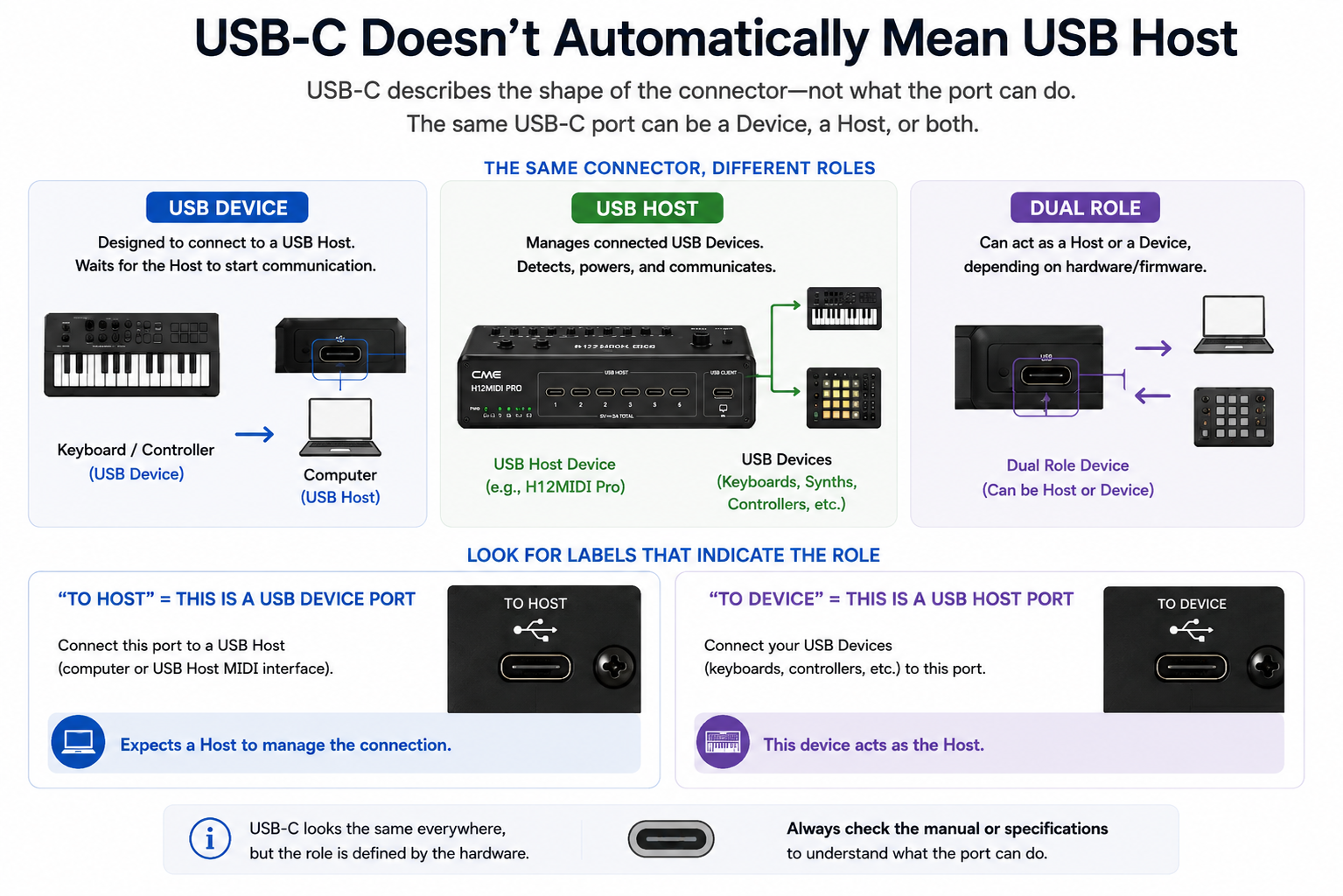
As USB-C becomes the new standard on musical instruments, it's easy to assume that every USB-C port works the same way.
Unfortunately, that's not the case.
Unlike USB Type-A and USB Type-B, USB-C only describes the shape of the connector. It doesn't tell you what the port is actually capable of.
A USB-C port can be configured as:
- USB Device – designed to connect to a USB Host
- USB Host – manages connected USB (Client) Devices
- Dual Role – capable of switching between both roles, depending on the hardware and firmware
In other words, two devices with identical USB-C connectors may still be unable to communicate directly. The connector may look the same…but the role behind it can be completely different.
The connector doesn't determine the role. The hardware does. That's why checking the specifications is far more important than simply looking at the connector.
Some manufacturers make this easier by labeling the USB ports.
- To Host → This is a USB Device port. Connect it to a computer or dedicated USB Host MIDI interface.
- To Device → This is a USB Host port. Connect your USB MIDI devices here.
These labels provide a quick way to identify the role of a USB port without having to consult the manual.
Modern MIDI Is More Than USB
Today's MIDI setups are more diverse than ever. A single musician might use:
- A USB MIDI keyboard
- A hardware synthesizer
- A drum machine
- A guitar processor
- A MIDI pedalboard
- A DAW running on a computer
- Bluetooth MIDI for wireless control
Every one of these devices may use a different type of MIDI connection. Some communicate via USB. Others still use the traditional 5-pin DIN connector. Many portable instruments today have adopted the more compact 3.5 mm TRS MIDI connectors.
And wireless Bluetooth MIDI is becoming increasingly popular too.
The challenge isn't connecting one device. It's connecting all of them together.
Why Not Just Use A Computer?
For many musicians, the computer has traditionally become the center of the MIDI setup. It already acts as a USB Host, making it easy to connect USB MIDI devices. But a computer isn't always the most practical solution....
For live performance, you may not want to boot a laptop just to connect a controller to a synthesizer. In the studio, you may want to play hardware without launching your relatively complex DAW and being occupied by the large screen.
And on stage, every additional cable, driver, or software update introduces another potential point of failure. Sometimes, you simply want your instruments to communicate without involving a computer at all.
That's exactly why dedicated USB Host MIDI interfaces were developed.
The Missing Piece: A Dedicated USB Host
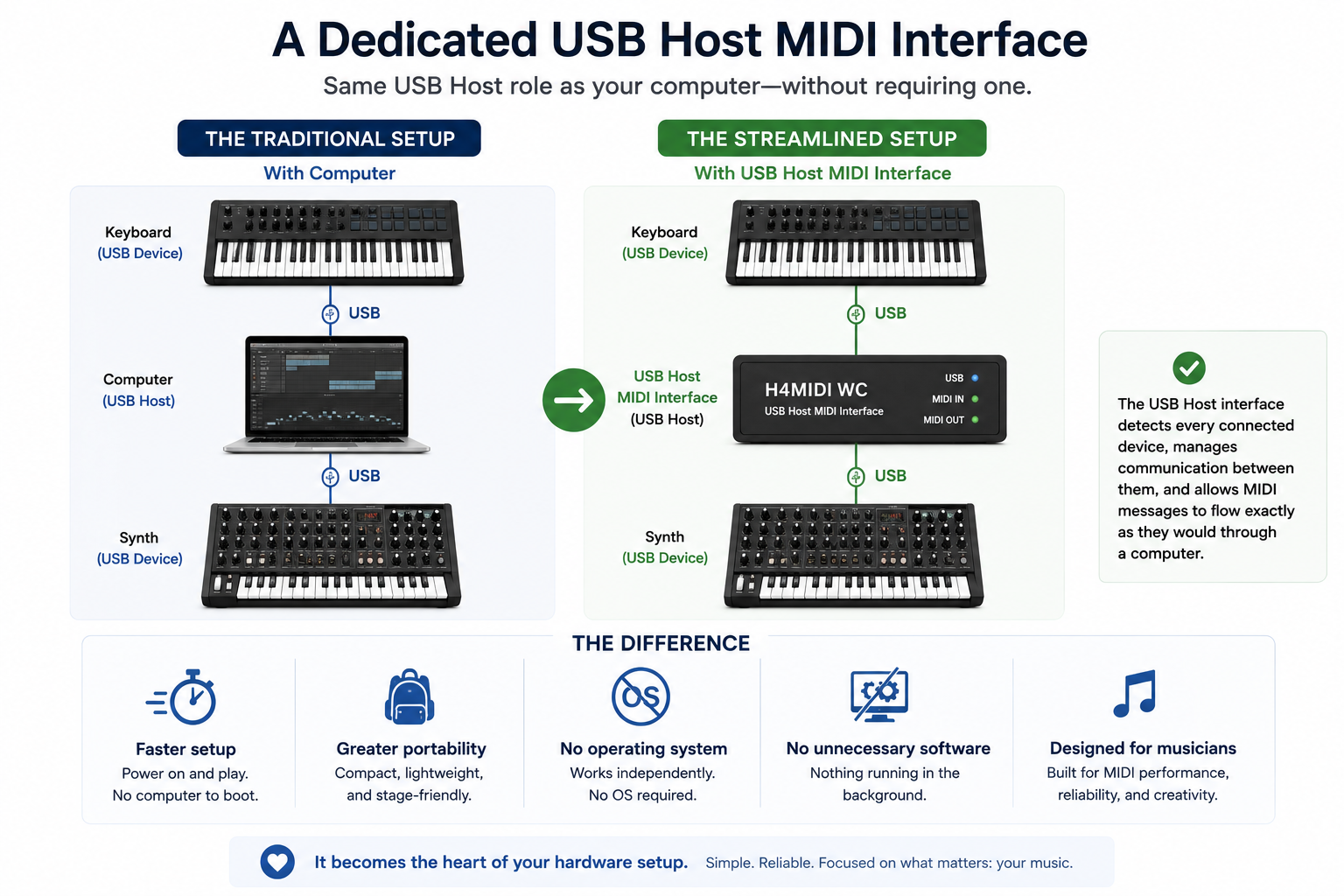
A dedicated USB Host MIDI interface performs the same USB Host role as your computer, but without requiring one.
Instead of this:
Keyboard
│
Computer
│
Synth
You can simply connect:
Keyboard
│
USB Host MIDI Interface
│
Synth
The USB Host interface detects every connected device, manages communication between them, and allows MIDI messages to flow exactly as they would through a computer.
The difference?
- Faster setup
- Greater portability
- No operating system required
- No unnecessary software running in the background
- Designed specifically for musicians
It becomes the heart of your hardware setup.
Meet the H4MIDI WC
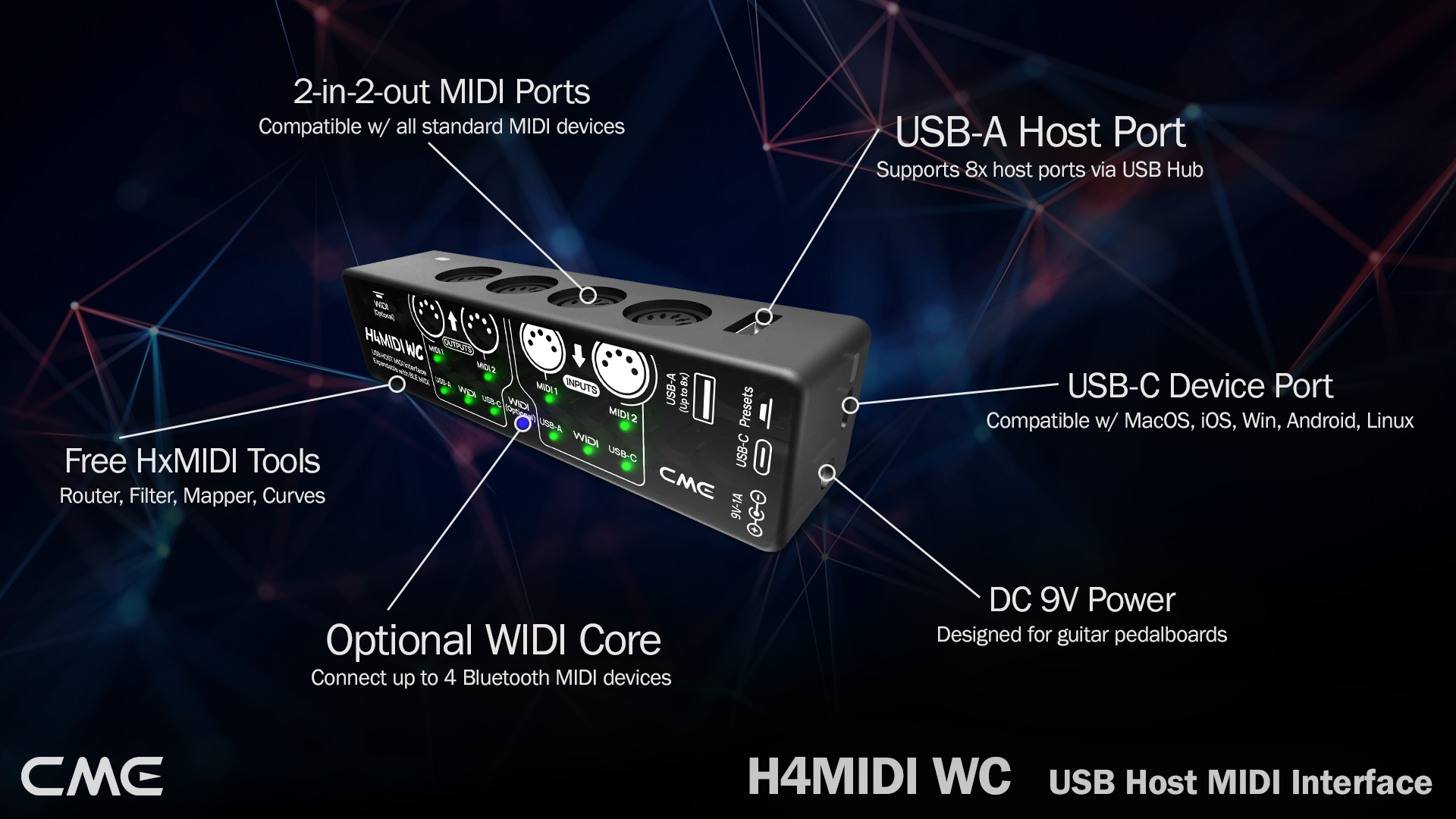
This is exactly why the H4MIDI WC was created.
Rather than replacing your computer, it gives you the freedom to decide when you want to use one and when you don't.
The H4MIDI WC combines a dedicated USB Host with traditional 5-pin DIN MIDI and USB computer connectivity in one compact interface.
- Need to connect a USB MIDI controller directly to a hardware synthesizer? No problem.
- Want to integrate your DAW later? Simply connect the computer and continue working.
- Prefer a wireless setup? Add CME WIDI Core and expand your system with ultra-low latency Bluetooth MIDI.
The H4MIDI WC adapts to your workflow, whether you're creating in the studio, rehearsing at home, or performing live.
More Than A USB Host
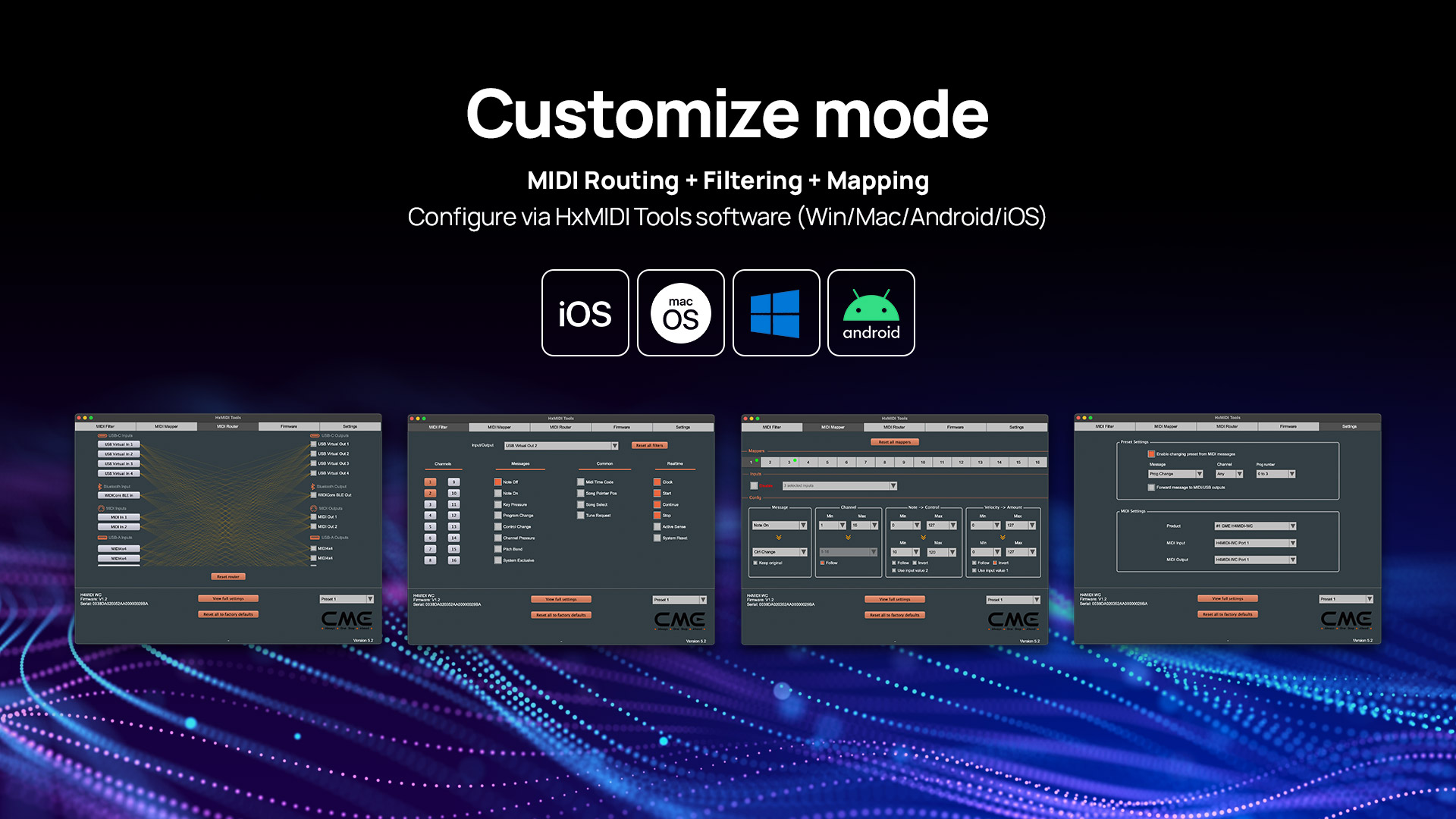
While USB Host functionality is the foundation, the H4MIDI WC was designed to become the central hub of a modern MIDI setup.
With the free HxMIDI Tools software, you can configure advanced routing, MIDI filtering, message mapping, and firmware updates across macOS, Windows, iOS, Android, and Linux.
That means the H4MIDI WC doesn't just connect your devices. It helps them work together exactly the way you want.
Modern MIDI Starts Here
Understanding USB Host technology changes the way you think about MIDI.
Once you understand the difference between a USB Device and a USB Host, many of the frustrations of modern hardware setups suddenly make sense.
Whether you're connecting your first controller or building a professional hybrid studio, a dedicated USB Host often becomes the missing piece.
The H4MIDI WC was designed to be exactly that.
Modern MIDI starts here.
See USB Host MIDI in Action
Curious how a dedicated USB Host MIDI interface works in a real-world setup? Explore the H4MIDI WC and discover how it connects USB MIDI devices, traditional MIDI hardware, computers, and Bluetooth MIDI into one compact hub.
